PHOENUS Digital Solutions

Rental Tracker App

QR scan to start/stop rentals. 100% customisable billing. Live revenue dashboards.

  • Scan executionCheck-in/out in seconds
  • Smart pricingSmart Calendar • Granular Billing • Minimum Charge
  • Live performanceRevenue, trends, exports
Multi-currency Roles & audits Excel exports
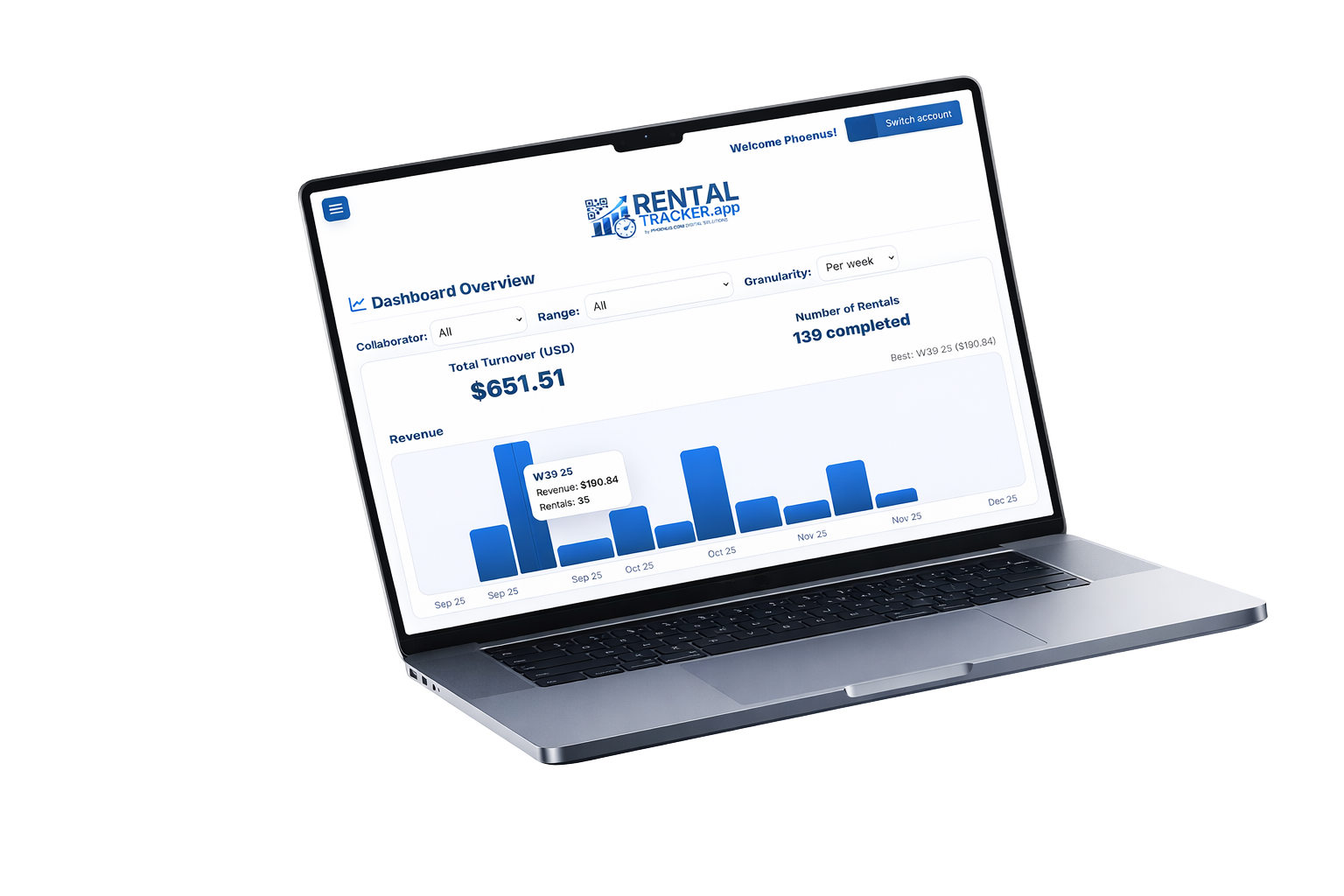
Dashboard chart view on a laptop
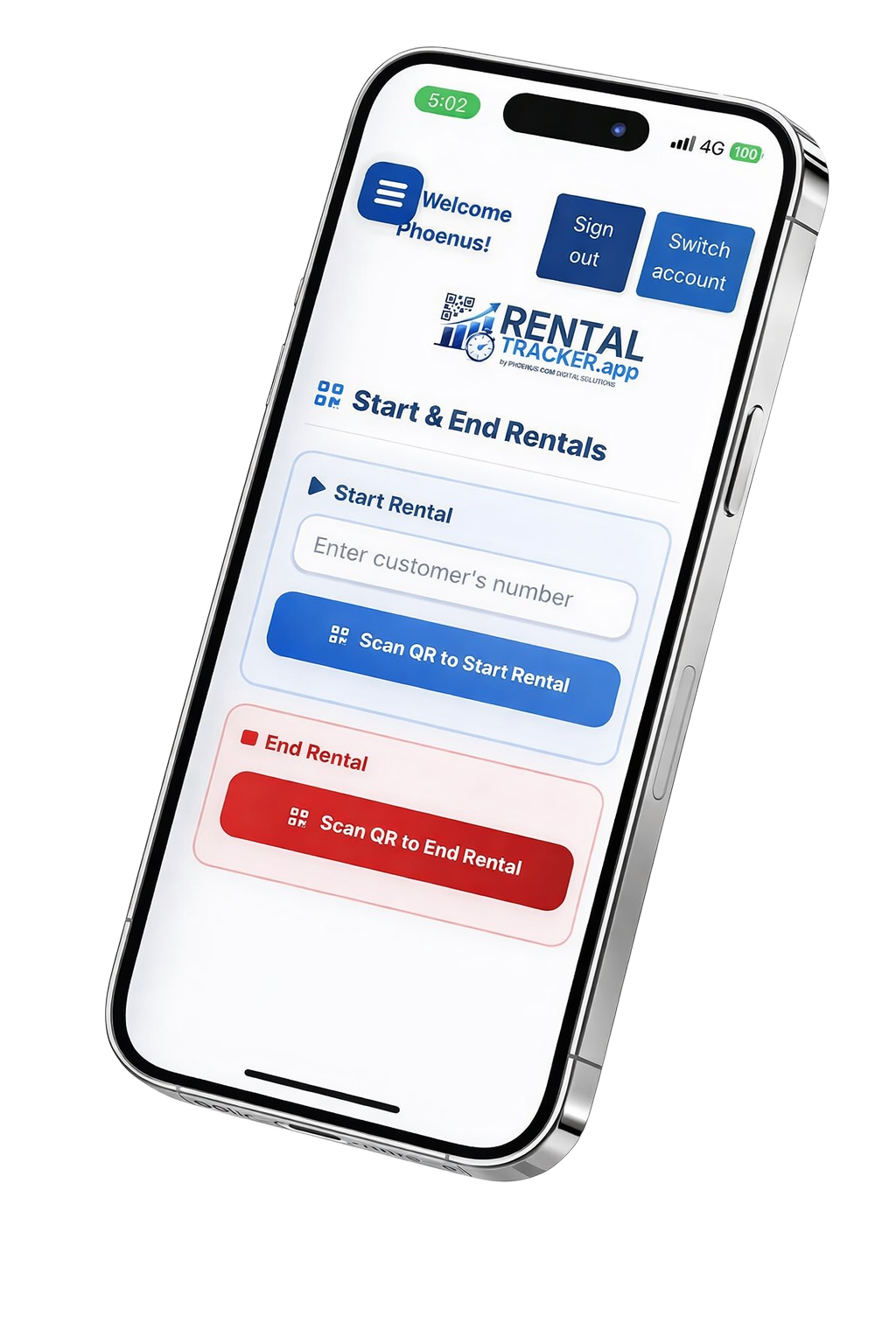
Scanner module on a phone
Dashboard chart view on a laptop
Admin dashboard (placeholder)
Expand
Reset
Scanner module on a phone
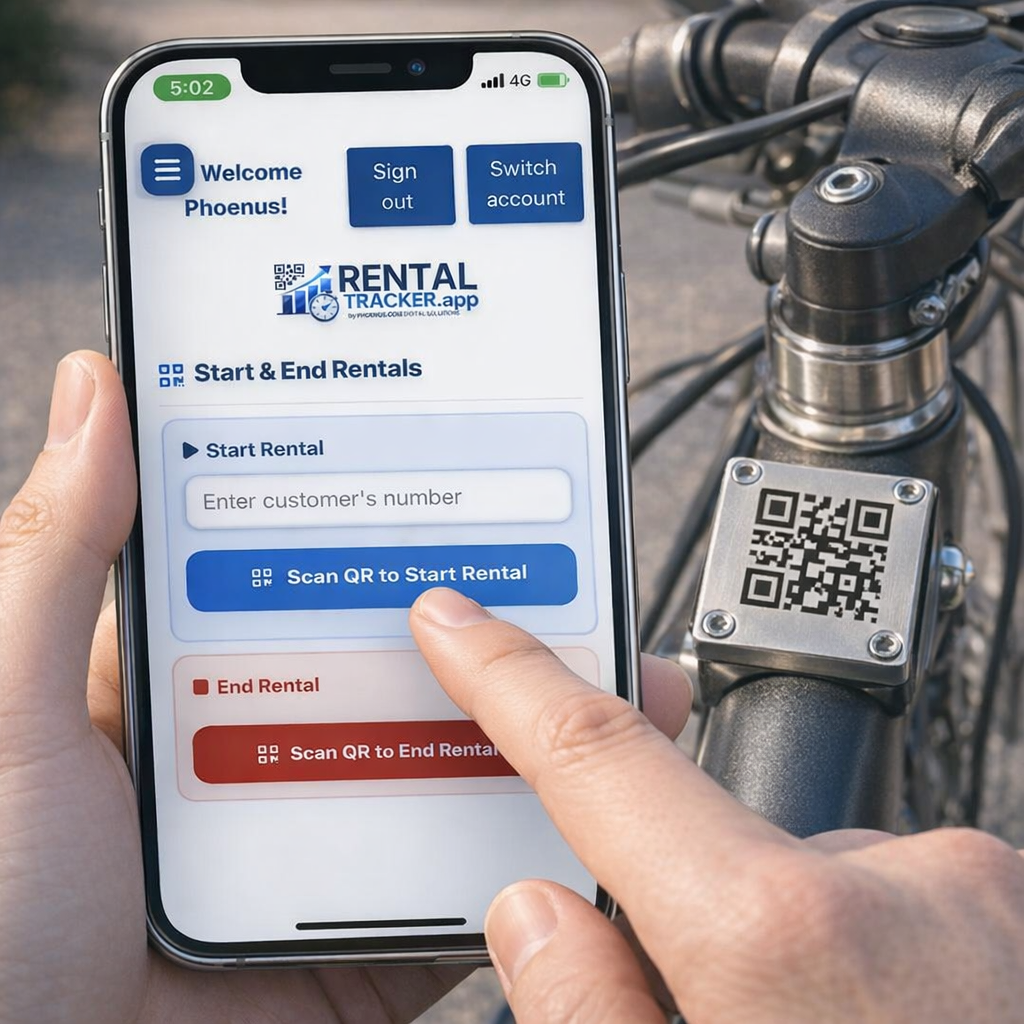
On-site execution (placeholder)
Expand
Reset
Fast ops
Live analytics
Team roles

Product tour

Real screens for every feature. Tap any image to enlarge.

Execution

Fast check-in/out via QR codes

Staff start and end rentals by scanning the item’s QR code. Status is always clear: Active rental vs Available.

Faster transactions Fewer errors Traceable history
QR scan flow
Scan workflow
Expand
Customer

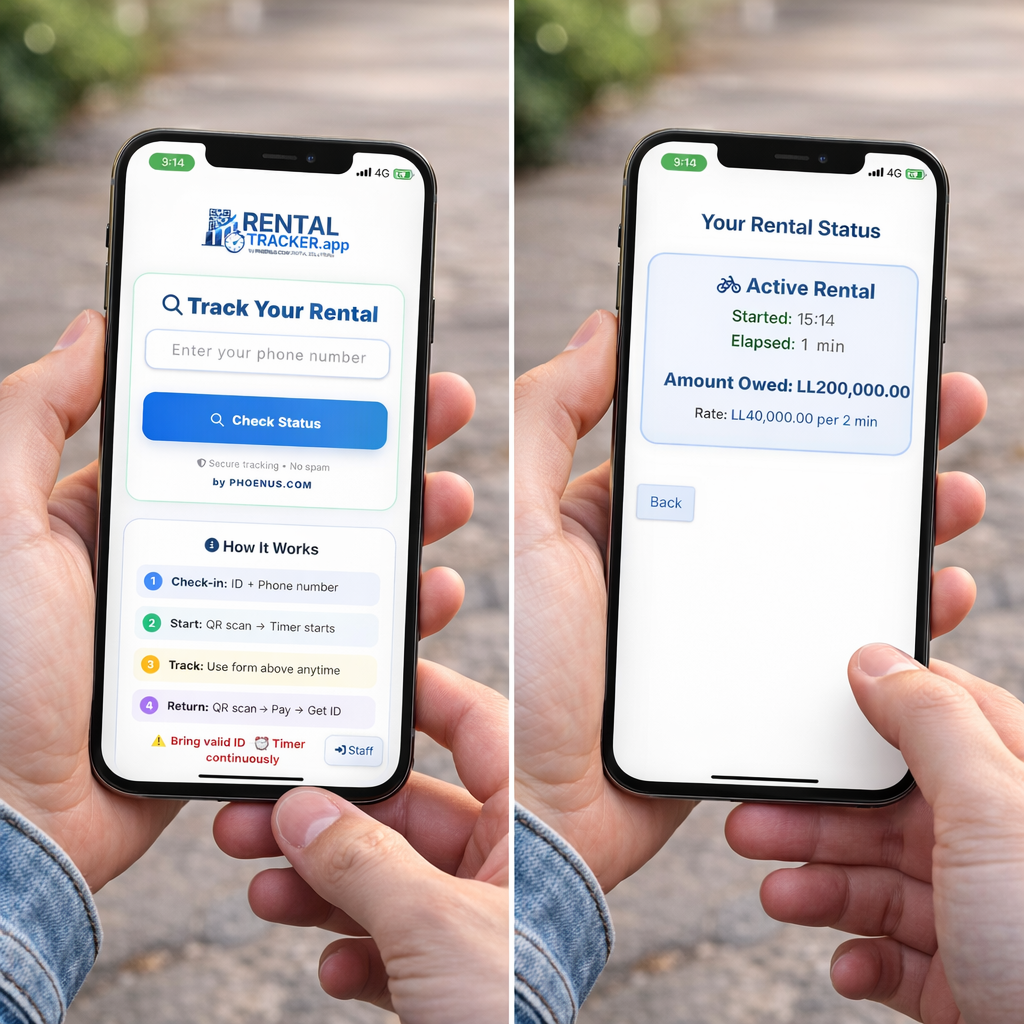
Customer portal by phone number

Customers enter their phone number to track status anytime and see spend-to-date—fewer calls, fewer disputes.

Status visibility Fewer calls Spend tracking
Customer portal
Self-serve view
Expand
Pricing

Flexible, transparent pricing

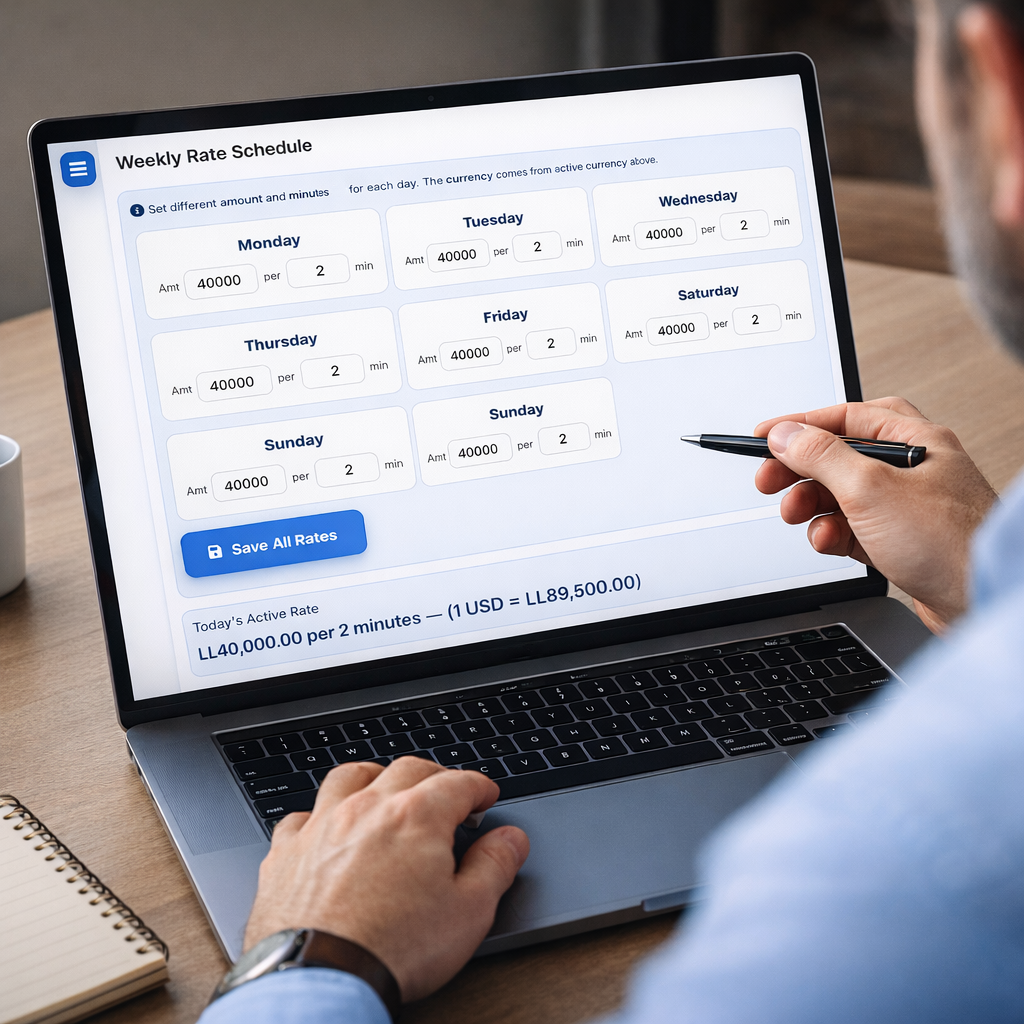
Weekly schedule with day-based time blocks (weekend pricing included). Minimum billing time protects margins.

Weekly blocks Exact minutes Minimum time
Pricing schedule
Rate editor
Expand
Analytics

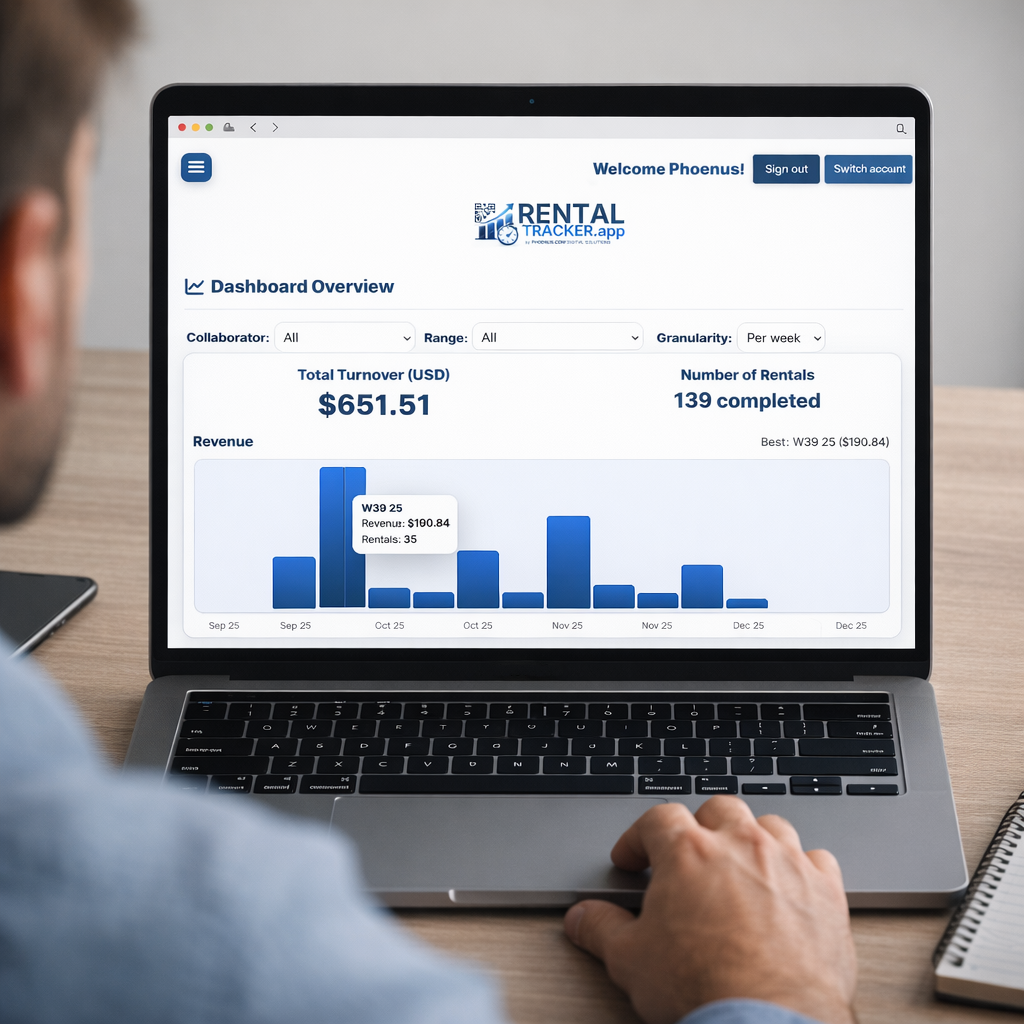
Real-time analytics from anywhere

Monitor turnover, rental count, and trends (day/week/month/year). Identify peak demand and top customers.

Anywhere access Peak detection Best customers
Analytics dashboard
Live charts
Expand
Finance

Multi-currency support

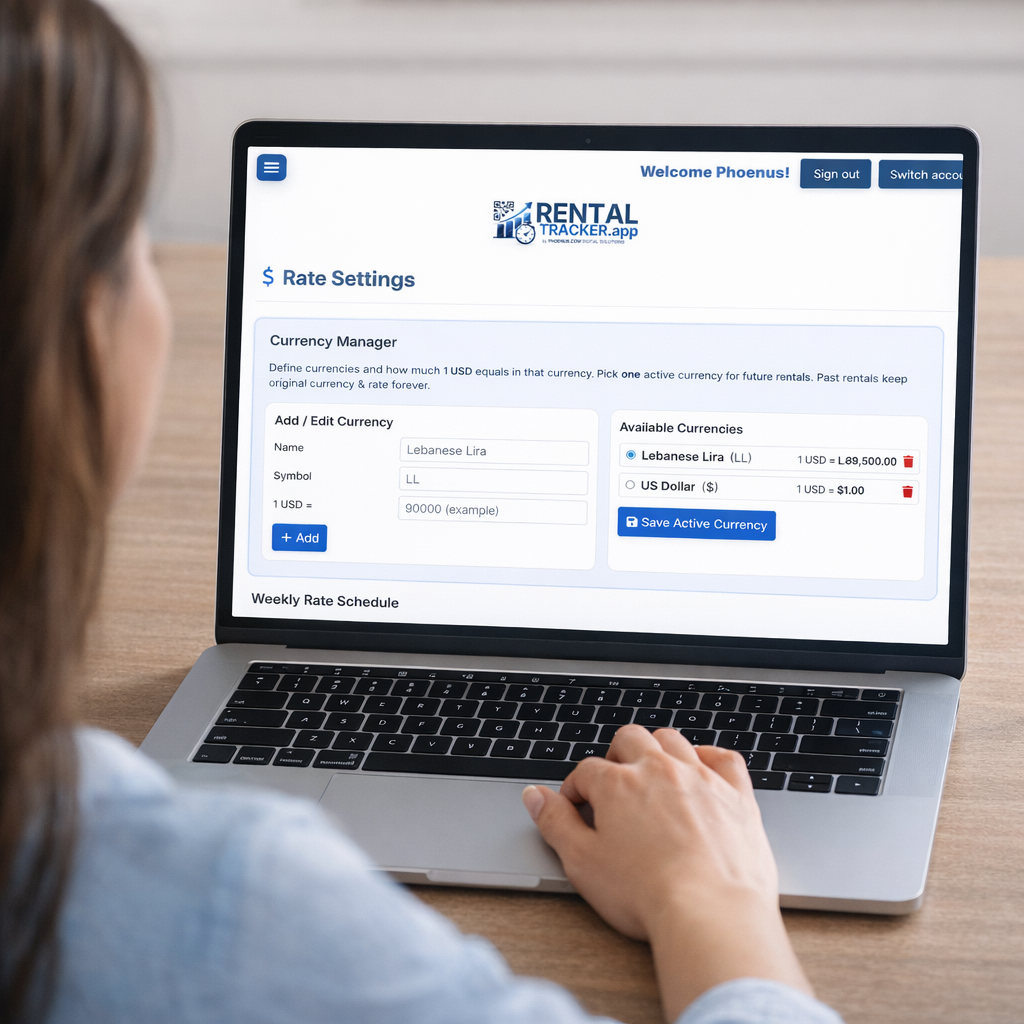
Create currencies, set conversion against USD, and choose the active currency for future rentals. Reports can show local + USD.

Cross-border ready USD baseline Dual outputs
Currency settings
Currency manager
Expand
Team

Collaborators & granular permissions

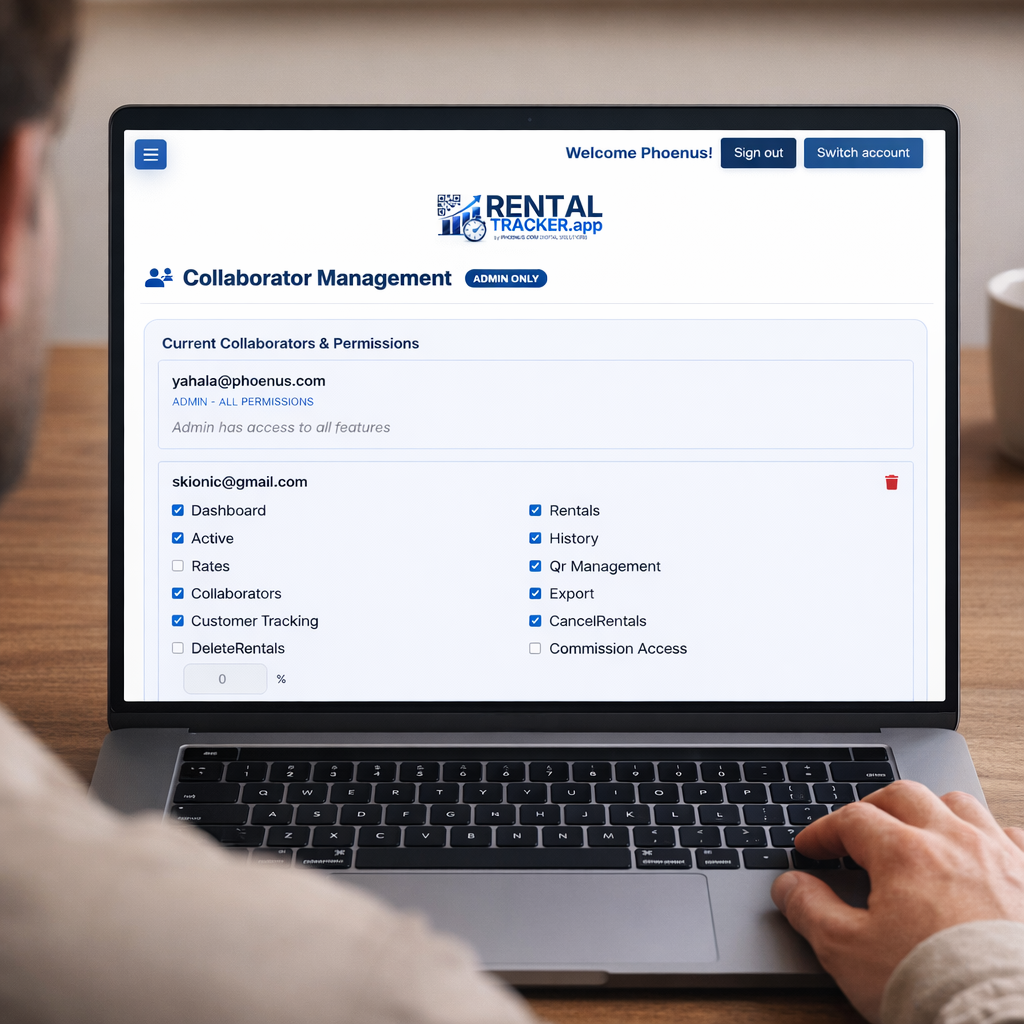
Invite collaborators, grant specific permissions (rentals, exports, admin actions), set commissions, and track performance.

Role gating Commission Activity tracking
Collaborators and permissions
Permissions
Expand
CRM

Customer tracking (CRM)

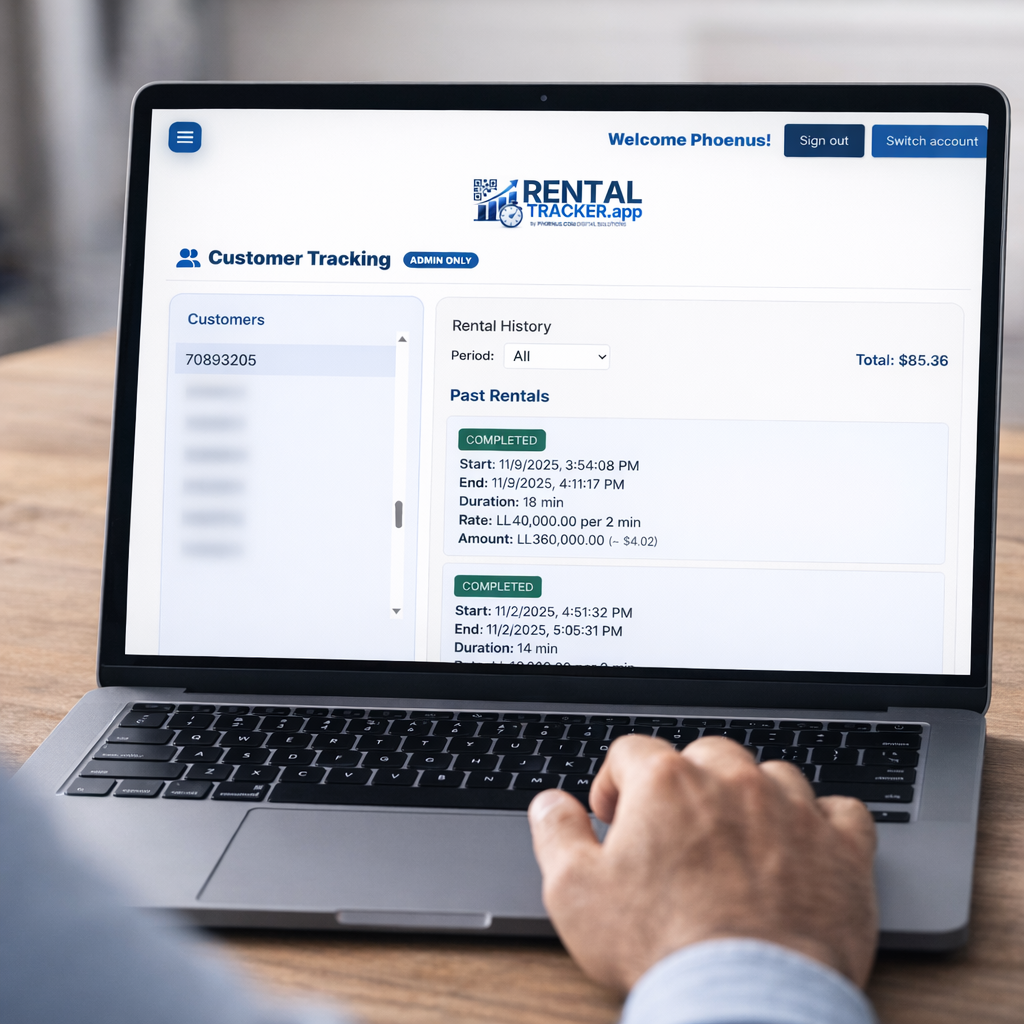
Store rental history per customer: active/past rentals, amounts paid, and cancellation reasons—supporting repeat business and VIP detection.

VIP detection Repeat rentals Notes + reasons
Customer tracking
Customer view
Expand
Reporting

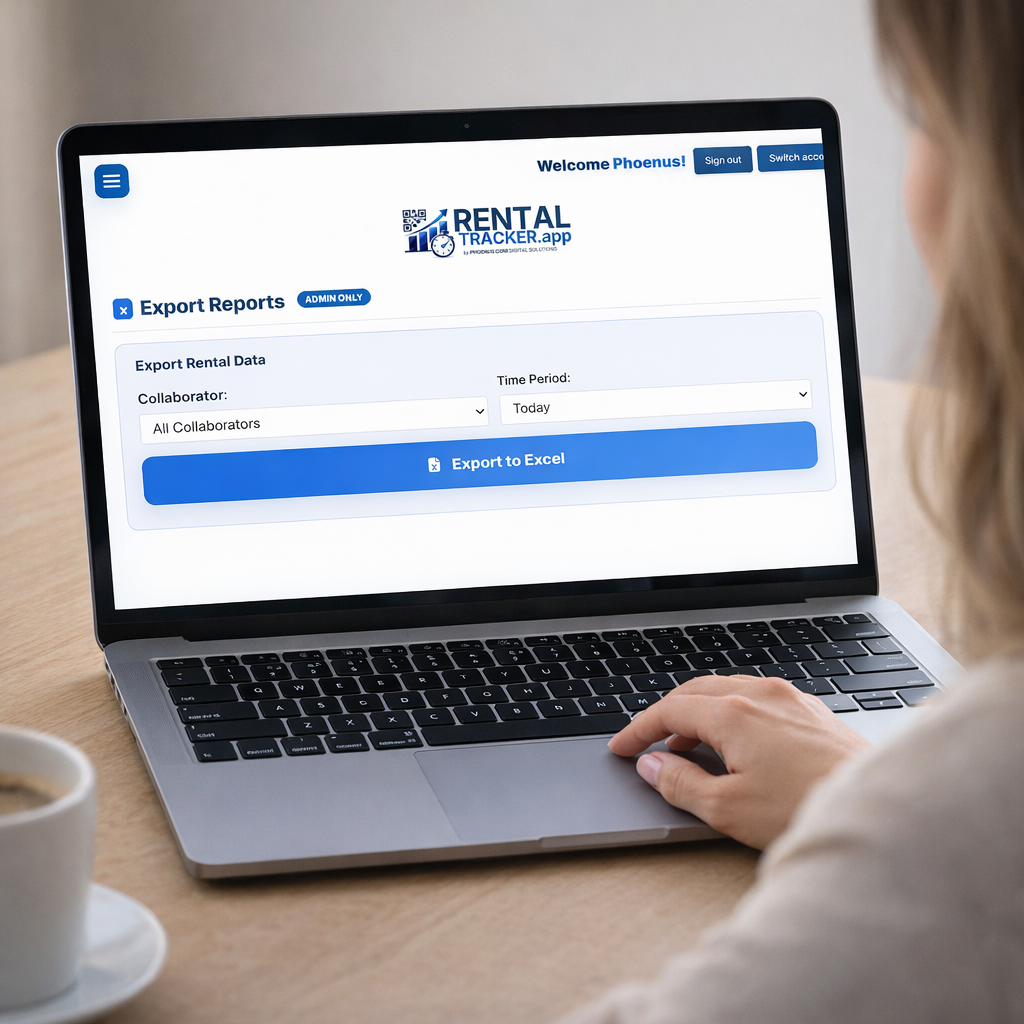
Export & reporting to Excel

Export filtered rental data by collaborator and period. Includes phone, start/end, duration, cost (local + USD), and optional commissions.

Filtered export Accounting-ready Commission optional
Excel export
Export output
Expand
Security

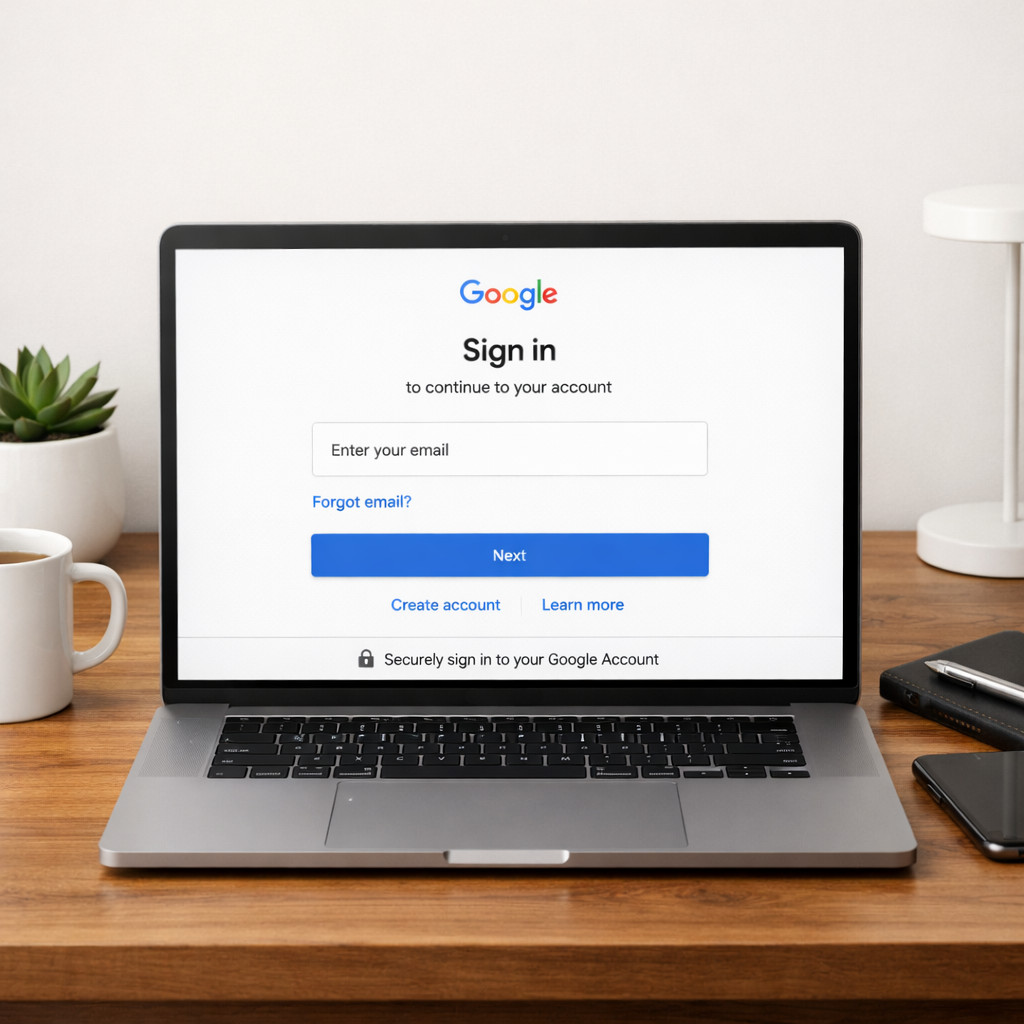
Secure authentication

Google sign-in + Firebase authentication restrict access to authorised emails. Roles (admin vs collaborator) gate actions.

Auth gating Role separation Auditability
Google sign-in
Access control
Expand
Integrity

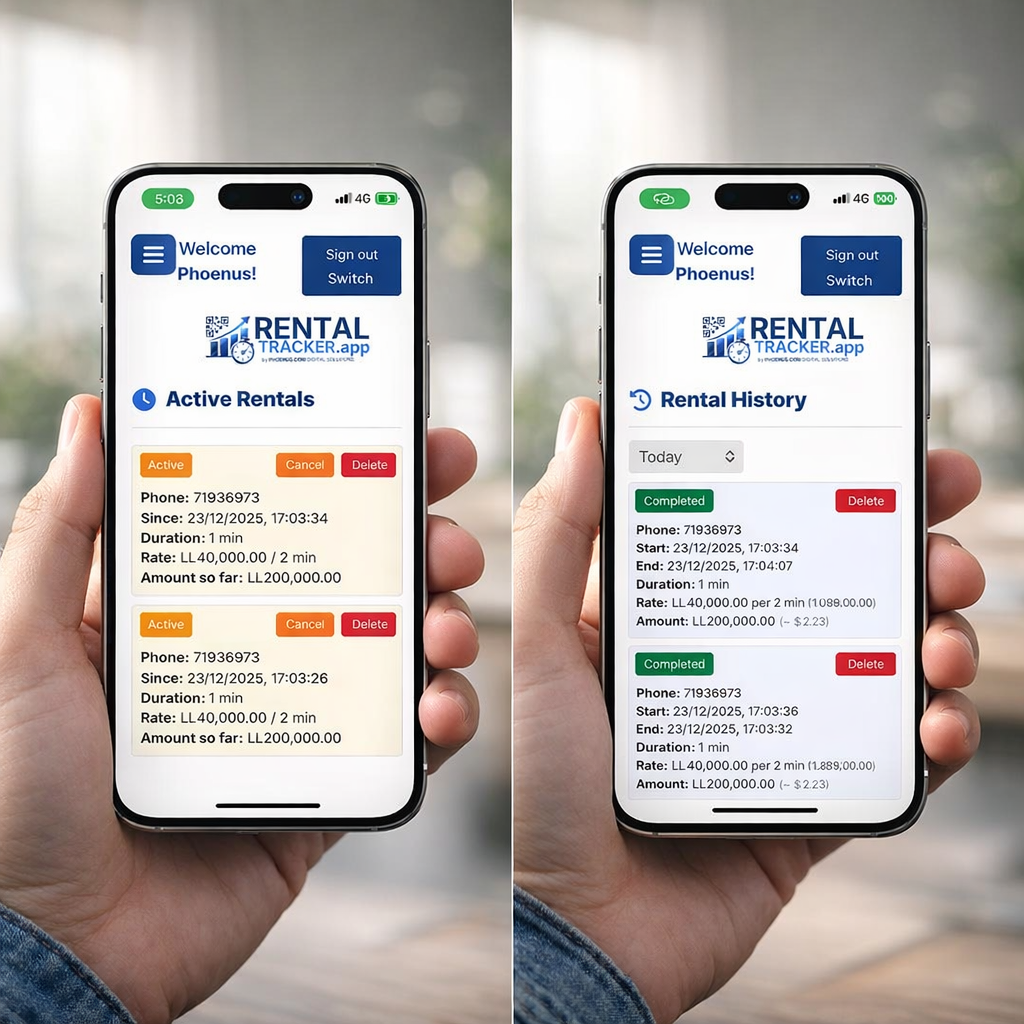
Cancellation & deletion controls

Cancel rentals with a reason or delete erroneous records (permission-gated) to keep financial records consistent and auditable.
Reason required Permission-gated Cleaner books
Rental control and cancellations
Control actions
Expand

Get access

Demo, setup, and onboarding aligned to your rental workflow.

Request a demo
Setup and onboarding aligned to your rental workflow.

Workflow that eliminates ambiguity

This flow prevents the usual rental failure modes: unclear availability, inconsistent pricing, and untracked staff actions.

1

Configure rates & currencies

Set weekly rate blocks, minimum billing time, and active currency (with USD baseline conversions).

2

Prepare items with QR codes

We provide the QR codes to install on each rental item. Staff scan them to execute check-out/check-in.

3

Scan to start/stop rentals

Scan item QR to start/end. System computes minute-accurate cost under the active rate schedule.

4

Monitor, export, and manage

Admins review dashboards, customer history, collaborator performance, and export Excel reports as needed.

FAQ

Answers aligned to the product capabilities listed on this page.

How do staff check items in and out?
By scanning the item’s QR code. We provide the QR codes to be installed on the rented items. The scan links directly to the item record so status becomes explicit: Active rental or Available.
Do you provide the QR codes?
Yes. We provide the QR codes to be installed on the rented items as part of setup and onboarding.
How do customers track their rental?
Customers enter their phone number to view rental status and the amount spent so far, reducing calls and disputes.
Can pricing vary by day and duration?
Yes. Define a weekly schedule with time blocks per day, set minimum billing time, and bill exact minutes used. Cost examples can be displayed for common durations.
Does it support multiple currencies?
Yes. Create currencies, define conversion values against 1 USD, and choose the active currency for future rentals. Reports can include local currency and USD.
Can I control what collaborators can do?
Yes. Invite collaborators, grant specific permissions (e.g., rentals but not exports), set commissions, and track collaborator turnover and rental count.
Can I export data for accounting?
Yes. Export rentals to Excel filtered by period and collaborator, including phone, timings, duration, costs in local currency and USD, and optional commissions.
How is access secured?
Google sign-in and Firebase authentication restrict access to authorised email addresses. Roles (admin vs collaborator) gate actions to reduce unauthorised changes.
How do cancellations and errors get handled?
Rentals can be cancelled with a justified reason, and erroneous records can be deleted if the user has permission—keeping records consistent and auditable.